

Organization Settings
Go to Settings → Organization (building icon). This section is only available to Admins and Owners of team workspaces.
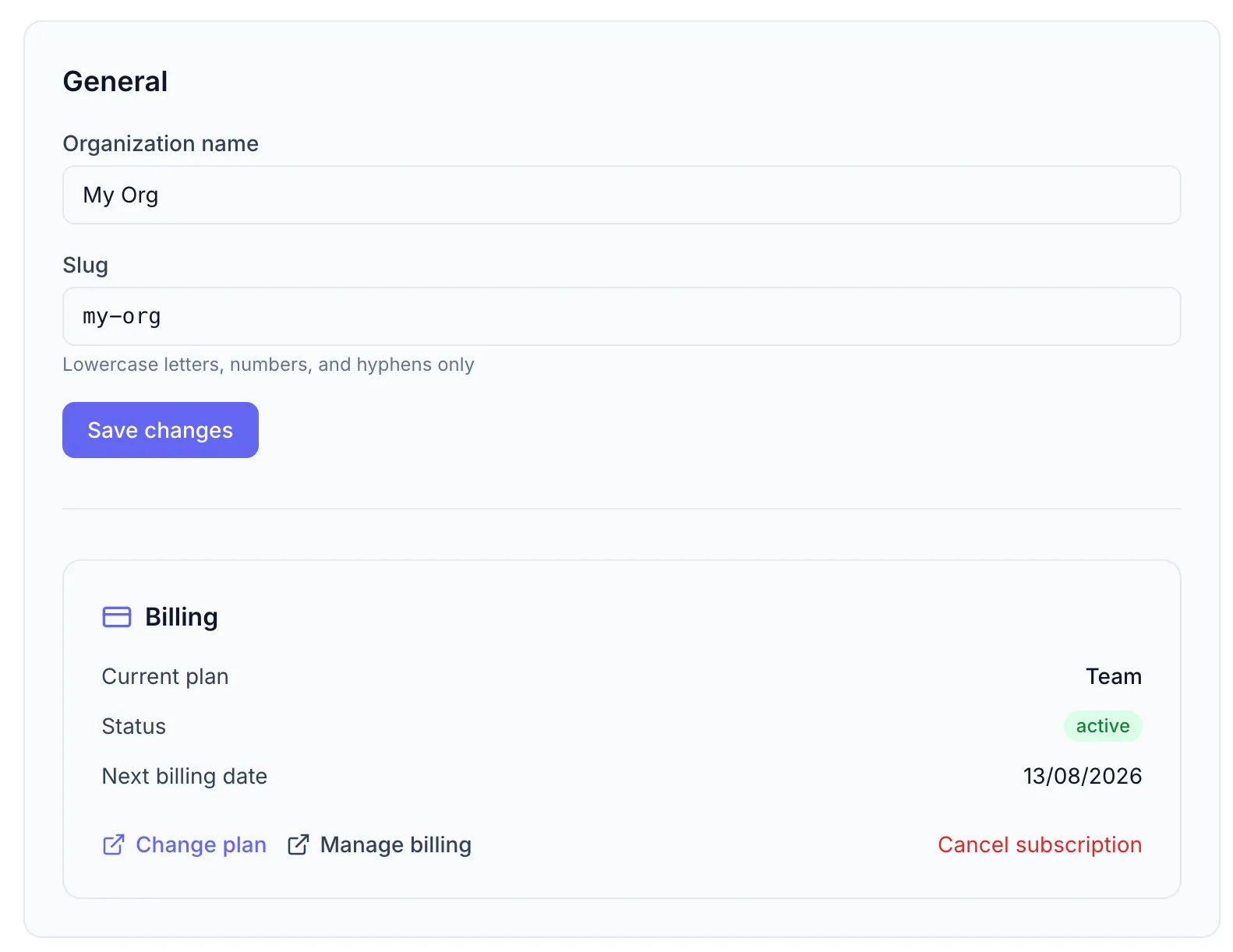
General settings
Section titled “General settings”| Field | Details |
|---|---|
| Organization name | Display name shown in the workspace switcher and to members |
| Slug | URL-safe identifier (lowercase letters, numbers, hyphens; auto-generated from name) |
After making changes click Save changes.
Slug rules
Section titled “Slug rules”- Must start and end with a letter or number.
- Only lowercase letters
a–z, numbers0–9, and hyphens-are allowed. - Example:
my-teamoracmecorp2025.
Subscription status
Section titled “Subscription status”Below the general settings a subscription status card shows your current plan, status, and next billing date. For billing actions (change plan, cancel) see Managing Your Subscription.
Transferring ownership
Section titled “Transferring ownership”To transfer the Owner role to another member, contact support or use the member role controls in Settings → Members. Only one Owner can exist at a time.